ContactSign inSign up
Contact

Code UI with fewer tokens

Give agents the context they need, from the entire component tree down to a specific prop. Chromatic turns verbose UI metadata into compact context that updates automatically as PRs merge.


Start free
Validation loop illustration showing code generation which is then validated with tests in Chromatic. If all tests pass, the code move to production. If tests fail, the code is sent back for fixing and re-validation.
Generate UI
Agents reference component APIs and examples as they build UI
Validate changes
UI changes must pass visual, interaction, and a11y tests
Refresh context
As PRs merge, Chromatic updates the context for your agents’ next task.

How it works

The components you ship guide what your agents build next.

Chromatic lets you test UI changes and curate the right context. As you merge PR changes, your context is auto-refreshed so that it’s ready for your next prompt.
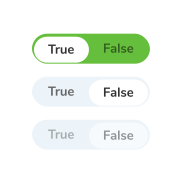
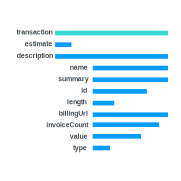
Pack more detail into fewer tokens

Chromatic turns verbose component metadata into compact context. This uses fewer tokens and speeds up tasks. Agents can query the entire component tree or a specific prop.

Token usage
  • Benchmark100%
  • Chromatic73% · Lower is better
Task Time
  • Benchmark100%
  • Chromatic36.2% · Lower is better

Debug what your agents read

When an agent outputs the wrong UI, you need to know what context it used. Chromatic lets you inspect the context payload and trace how it was assembled to find information gaps.

Columns of component metadata (names, args and test results) as compact context text
Spot context gaps. Browse component APIs, props, stories, and docs in a manifest view. Filter for generation errors and warnings to investigate context gaps.
A grid of component wireframes, some kept in context and some excluded
Curate what belongs in context. Exclude stories, docs, and entire components from context to keep agents focused on the right examples.

Share UI context across teams

Publish your component APIs, docs, and examples as shared context for any agent.

Access remote context
Chromatic hosts component metadata so other teams can connect their agents remotely.
Combine context from multiple libraries
Combine your app’s local context with published context from other libraries through one MCP connection.
Manage UI context by branch
Each branch has its own published context so you can experiment with context changes in isolation before merging.
Give agents leaner UI context
Get startedBook demo

Frequently asked questions